Environments
You need an environment in order to work with Profit. An environment is a reflection of your administrative organisation. You record your administrative data here and use this data to generate business information. You make all data and actions available securely via authorisations by accurately authorising users.
Description
An environment contains at least one administration. When you add an environment, Profit automatically adds the first administration to that environment. You can add extra administrations yourself, for example, for the various companies that are part of the same holding.
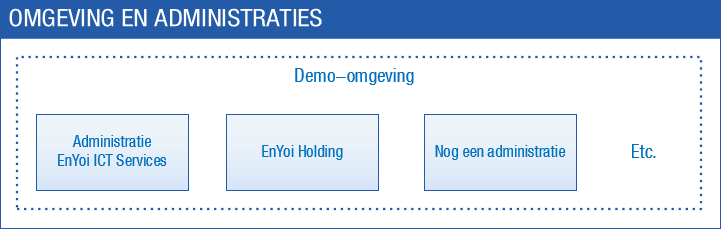
Some of the settings and master data relate to the entire environment, while other settings and master data are recorded separately for each administration. The chart of ledger accounts, for example, applies to the entire environment, but the journals are recorded separately for each administration. This immediately illustrates the advantage of having several administrations in one environment: You can record certain master data at a high level, making them apply to all the administrations.
Because of this approach, the settings are split into environment settings and administration settings. For each product you can record additional settings, such as the settings of Profit Financieel or Profit Order management. When you add an environment or administration, you immediately have to enter a number of settings via a wizard.
Other settings, such as the custom configuration, the activation of specific functionality, the settings of the e-mail server and auto numbering, are recorded at the environment level. The language settings and field settings are also recorded at the environment level.
Procedure
- Select a new environment or administration
- Add environments
- Change the description of an environment
- Delete an environment
- Restore deleted enviromment
Also see
- Add an environment
- Add an administration
- Use environments
- Users in combination with the Central Login Environment