Create and manage vacancies

You add a vacancy and publish it as a document on InSite and OutSite.

Content

  • Description
  • Preparation
  • Procedure

Description

You can create a vacancy in InSite or in Profit.
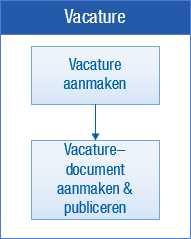
If you use Applicant Self Service, you also create the vacancy as a document. This ensures you publish them on InSite and OutSite.

Preparation

  • Configure recruitment and selection in InSite

Procedure

  • Create a vacancy in InSite
  • Create a vacancy as a document for publication on InSite/OutSite (Applicant Self Service)
  • Create a vacancy in Profit for Applicant Self Service
  • View vacancies in InSite
  • Change vacancies in InSite