Add a photo to a gallery
You can add photos to the gallery.
To add a photo to a gallery:
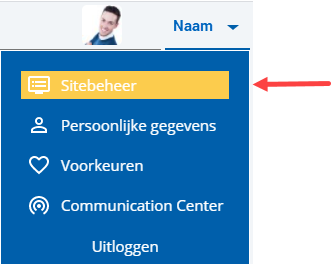
 Log on and start Site management.
- Open the page with the photo gallery you want to change.
- Click on: Edit (in the Page frame).
- Click on: Layout in the Display frame.
- Click on: the photo gallery.
- Click on: Properties.
- Click on: New.
- Click on: Select images.
- Drag the image(s) from the explorer to the frame Sleep de bestanden hierheen.
- Click on: Create.
- Repeat this step until you have added all the photos.
- Click on: Modify.
- Click on: Publish.
- Click on Yes in the message.
|
Directly to |